
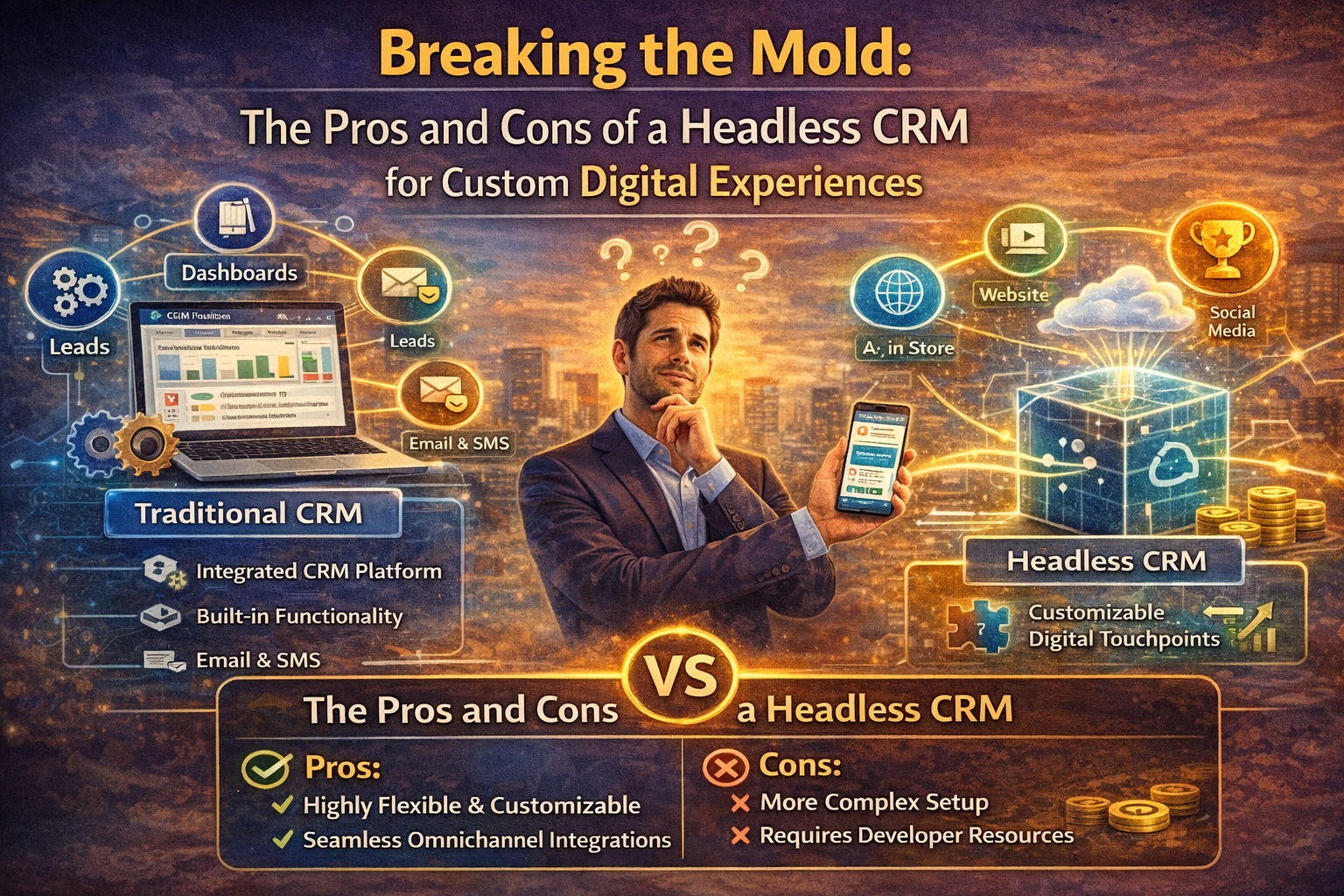
Explore the trade-offs of using a Headless CRM. Learn how decoupling your data from the frontend can drive innovation or create technical debt for your team.
Table of Contents
If you’ve spent any time in a product meeting lately, you’ve probably heard the term “headless” thrown around more than a few times. First, it was headless CMS for content, then headless commerce for storefronts, and now we’re staring down the barrel of the Headless CRM. It sounds like something out of a gothic horror novel, but in the world of software architecture, it’s actually one of the most liberating—and simultaneously terrifying—moves a company can make.
The struggle is real: most traditional CRMs feel like a “walled garden.” They give you a great database, but they also force you to use their clunky dashboards, their rigid web forms, and their specific way of displaying customer data. For a business that wants to build a truly unique, high-end digital experience, that “garden” can start to feel like a cage. This is exactly where the appeal of a Headless CRM comes in. It promises to give you the data power of a world-class engine without forcing you to use the manufacturer’s steering wheel or upholstery.
What is a Headless CRM, Really?
In plain English, a Headless CRM is a system that manages all your customer data but has no built-in frontend or user interface. It’s essentially a “back-office” database that communicates with the rest of your world via an Application Programming Interface (API).
Traditional platforms are “monolithic.” They bundle the database (the body) and the interface (the head) together. When you go the Headless CRM route, you are effectively lopping off that pre-built head. This allows your developers to build whatever “head” they want—whether that’s a custom mobile app, a specialized client portal, or a unique voice-activated interface—and simply pull the customer data in through the back.
The Pros: Why You Might Want to Lose Your Head
The primary reason companies make the switch to a Headless CRM is for total creative freedom. If your brand lives or dies by the quality of its user experience (UX), a standard out-of-the-box interface might be holding you back.
1. Unmatched Flexibility for Developers
When you use a Headless CRM, your developers aren’t restricted by the templates of a specific vendor. They can use whatever coding language they prefer—React, Vue, Swift, you name it—and build an interface that fits your brand like a glove. This is a massive win for omnichannel marketing because you can push the same customer data to a smartwatch, a kiosk, and a website simultaneously without worrying about how it renders in each place.
2. Improved Performance and Speed
Monolithic systems are heavy. They load a lot of CSS and JavaScript that your specific project might not even need. Because a Headless CRM only sends raw data through a lightweight API call, your custom-built frontend can be incredibly fast. In a world where a one-second delay in page load can kill your conversion rate, that extra speed is worth its weight in gold.
3. Future-Proofing Your Tech Stack
Technology changes fast. If you want to switch your website from one framework to another in three years, you can do that without migrating your entire CRM database. Since the Headless CRM is decoupled from the presentation layer, you can swap out the “head” as often as you like while the “body” of your customer data stays safe and sound.
The Cons: The Hidden Costs of Going Headless
While the freedom is intoxicating, a Headless CRM isn’t a silver bullet. There are significant trade-offs that often get glossed over in the sales brochures.
1. Massive Development Overhead
You are essentially building your own CRM interface from scratch. This means you need a dedicated team of developers to build it, maintain it, and fix it when it breaks. For a small business, the cost of building a custom “head” for a Headless CRM can easily dwarf the actual subscription cost of the software itself. You aren’t just buying a tool; you’re starting a long-term engineering project.
2. Lack of “Out-of-the-Box” Features
One of the best things about a traditional CRM is that it comes with pre-built reports, email templates, and task management views. With a Headless CRM, you have none of that. If your sales team needs a pipeline view to track their deals, your developers have to build that view for them. If you haven’t planned for every single workflow automation your team needs, the move to a headless system will feel like a giant leap backward in terms of daily utility.
3. Complexity in Data Governance
When data is flowing through multiple custom-built APIs and appearing in various places, keeping it clean becomes a Herculean task. CRM Data Governance is hard enough on a monolithic system where everyone is using the same forms. In a Headless CRM environment, you have to be incredibly disciplined to ensure that data entered through a mobile app is mapped correctly to the same fields as data entered through a web portal.
Finding the Middle Ground: The Hybrid Approach
I’ve seen many companies realize that a “pure” Headless CRM is too much work, while a monolithic one is too restrictive. This has led to the rise of the “Hybrid CRM.” Many modern platforms now offer a traditional interface for your internal sales team to use while also offering robust APIs that allow you to build custom “headless” experiences for your actual customers.
This is often the sweet spot. Your internal staff gets the proven tools they need to manage the sales funnel, while your customers get a beautiful, bespoke digital experience that feels nothing like a generic CRM portal. It’s the best of both worlds, provided you have the budget to support both sides of the coin.
Who is a Headless CRM Actually For?
In my experience, a Headless CRM is not a good fit for most mid-market companies. If you’re just looking for a better way to track leads and send emails, stick to a traditional system.
However, if you are an enterprise-level company building a complex product—like a banking app, a massive healthcare portal, or a unique IoT (Internet of Things) ecosystem—then a Headless CRM starts to make a lot of sense. According to the architecture standards found at the Open Group, the move toward microservices and decoupled systems is the primary way large-scale organizations manage complexity. For more on the fundamental shifts in how these systems talk to each other, Wikipedia’s page on API provides a great deep dive into the underlying tech.
Impact on Security and Compliance
Security is another area where the Headless CRM introduces a double-edged sword. On one hand, your data is “hidden” behind an API, which can reduce the attack surface. On the other hand, every custom interface you build is a new potential vulnerability.
During a CRM Security Audit, a headless setup requires much more scrutiny. You aren’t just auditing the vendor; you’re auditing every single connection and frontend you’ve built yourself. For companies dealing with strict GDPR compliance, this means you have to build your own “Right to be Forgotten” logic into every custom-built portal. It’s a significant amount of responsibility to take on.
The Bottom Line on ROI
When you sit down to calculate the ROI of a Headless CRM, you have to look past the sticker price.
- Monolithic: Lower initial cost, faster deployment, but potentially higher “friction” costs later due to limited customization.
- Headless CRM: High initial investment, long development time, but potentially massive gains in customer lifetime value due to a superior, branded user experience.
If your digital experience is just a “utility,” go monolithic. If your digital experience is your product, you probably need to be looking at a Headless CRM. It’s about deciding where you want your team’s energy to go—into maintaining a system or into innovating on top of it.
Questions to Ask Your CTO
Before you make the jump, sit down with your technical leads and ask:
- Do we have the dev capacity to build and maintain a custom UI for our Headless CRM?
- What are the three things our current CRM cannot do that a headless version could?
- How will we manage data synchronization across our custom-built heads?
- Are we prepared for a deployment timeline that might be 3x longer than a standard setup?
FAQ Section
1. Is a Headless CRM the same as a Database? Not quite. While a Headless CRM is a database at its core, it also includes the specialized logic for managing customer relationships, permissions, and security. A standard database (like SQL) is just a place to store rows and columns; a CRM “understands” what a lead, a contact, and a deal are.
2. Can I use a Headless CRM for my internal sales team? You can, but it’s usually a bad idea. Building a custom interface for internal pipeline management is reinventing the wheel. Most people use a Headless CRM for customer-facing experiences and keep a traditional interface for their internal staff.
3. Does going headless help with SEO? Indirectly, yes. Because a Headless CRM allows for faster page loads on your custom frontend, your site performance metrics (like Core Web Vitals) will improve. Google loves fast-loading, high-performance sites, which can lead to better rankings in the housing market or whatever niche you occupy.
4. What are some examples of Headless CRM vendors? Many modern CRMs are “API-first,” meaning they can function as a Headless CRM. Companies like Contentful (more of a CMS but moving toward CRM territory), Strapi, and even the enterprise versions of Salesforce and HubSpot offer the robust API structures needed to go headless.
5. How hard is it to migrate from a traditional to a Headless CRM? It’s a significant undertaking. You are essentially rebuilding your data schema and your entire user interface at the same time. It’s often better to start with a “hybrid” approach and slowly migrate specific customer touchpoints to the headless model over time.
Conclusion
Going the Headless CRM route is a bold move. It’s an admission that your brand is unique enough that it can’t be contained in a standard box. For some, this leads to a digital masterpiece that drives incredible customer loyalty and revenue. For others, it leads to a pile of expensive code and a team that misses their old, “boring” dashboard.
